I have been dealing with large scale timeseries data for more than a decade. I build applications using different types of databases for storing timeseries data. I will be discussing about the best practices and tips based on my experience with Timescaledb as a timeseries database.
In my opinion timescaledb is the best choice for small and medium sized applications that handles data in the range of several GBs. The best part is that it runs on postgresdb which is familiar to a lot of enterprises and it is very easy to install on a wide variety of operating systems.
Also the same database system can be used for storing the metadata (normal relational tables), timeseries data (hypertables) and also graph data to some extend by installing additional plugins. So in summary we can achieve complete capabilities with decent performance using a single database system.
The point to be taken care is about tuning the system. If you don’t configure and tune the system properly, it will collapse in few weeks or months based on the volume of the data and compute requirements.
I will be explaining some points that will be useful for timescale users to deal with some of the general problems based on my experience.
Tips and best practices
- Timestamp format – Always using the standard timestamp format for storing timestamps. Do not use epoch time in the time columns. This approach will not work well with materialized views using continuous aggregates. Continuous aggregates need the time in timestamp format and it won’t support epoch timestamp.
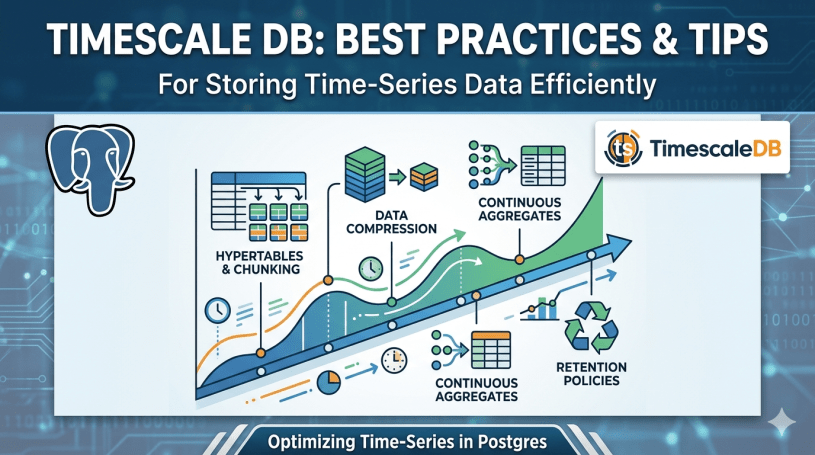
- Compression – Enable compression in the hypertables. Otherwise the tables will grow and you will run out of storage space. Keep the recent data uncompressed and compress the old data. You can decide this based on your usecase. For example keep data for the last 7 days uncompressed and compress everything before that. You can create a policy for this and the compression will happen automatically. This saves a lot of storage space and improves query performance as well.
- Chunk Size – Choose appropriate chunk size based on your data ingestion rate. If your usecase has high data ingestion, perform the chunking daily with smaller chunk size. If the ingestion rate is low, perform the chunking on a weekly basis with larger chunk size.
- Indexing strategy – Selectively choose the columns for indexing based on your queries instead of indexing it for every column.
- Use Continuous Aggregates – For reports and analytical dashboards, leverage continuous aggregates and materialized views. This will avoid heavy lifting and also improves the report or dashboard performance. Continuous aggregate is the recommended approach as it automatically refreshes the data in the aggregate table without any manual intervention.
- Write in Batches instead of individual records – This is a critical point. While dealing with timeseries data, we will be getting data for several 1000s of parameters or tags at a single point. Collect these records together and write it together instead of writing each record individually. This will improve the write performance and also reduces the load on the database server.
- Retention Policy – Set up a suitable retention policy based on your usecase so that the old data gets cleaned up or archived to a cold storage. This will reduce the overhead. As always – “Less luggage, more comfort”
These are based on my experience. Feel free to comment below if you have any other points beyond these or any questions related to these. Thanks for reading.
 All About Tech